
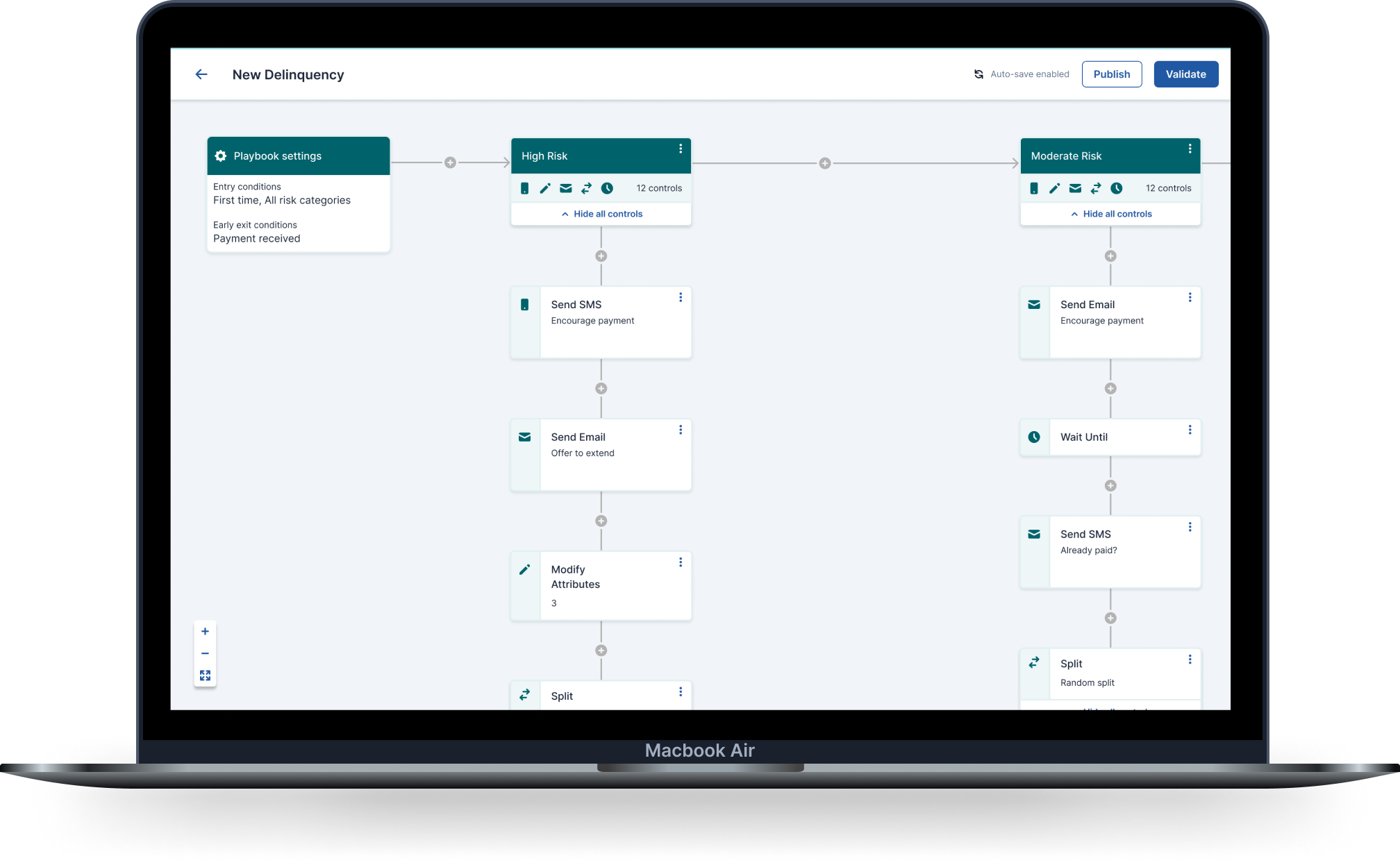

Accelerating enterprise outreach through a scalable, self-serve Playbook platform
Transformed a fragmented debt workflow into a visual journey builder - now used to support over 100 million customers.
IMPACT
Replaced a rigid, code-based workflow with an intuitive visual journey builder that non-technical teams could own end-to-end. Gave banks, telcos, and utilities the tools to design complex debt treatment strategies with clarity and confidence. The platform has since been used to support over 100 million customers.
ROLE
Product Designer - end-to-end, 0 → 1 design system, 2 years
TEAM
2 Product Managers · Multiple Engineers · 1 QA
PROBLEM
The tools existed. The workflow didn’t.
Symend's clients support customers through sensitive financial moments. The strategies guiding those interactions were built across a cluster of disconnected, code-dependent tools - making the work slow, error-prone, and inaccessible to the people who understood it best.
🗺
Journeys were invisible
Strategies were scattered across apps. Users sketched flows on paper just to understand what would happen next.
🚧
Experts blocked by their own tools
Non-technical strategists relied on engineers to configure and debug. The wrong move had real stakes.
🔧
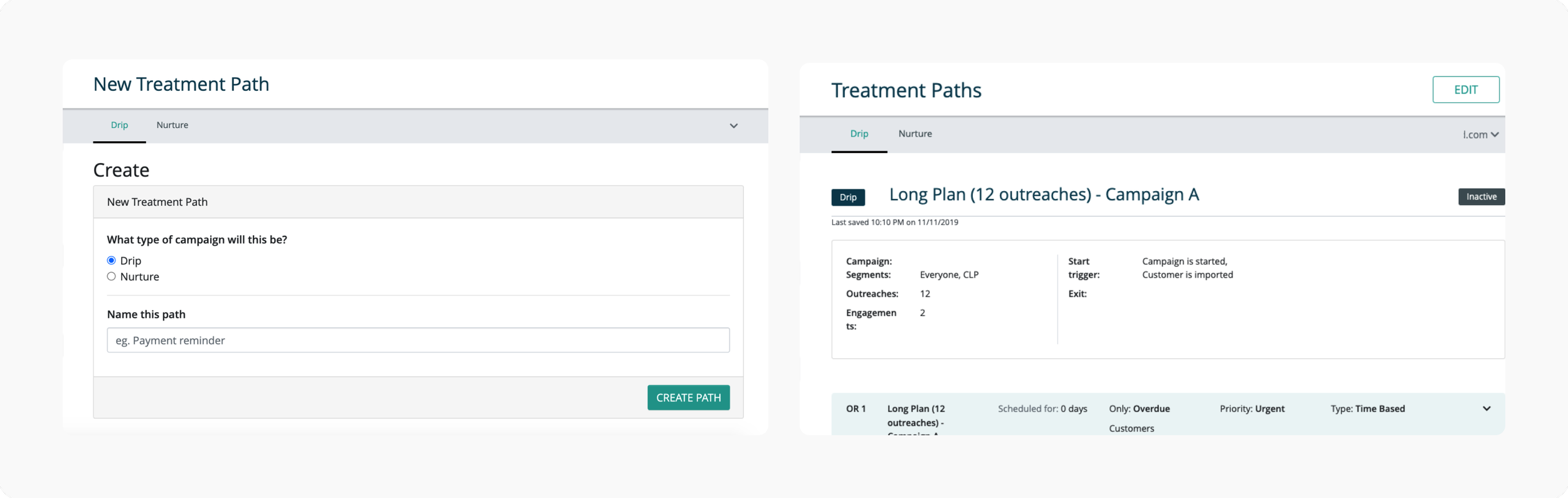
Fragmented tools, manual glue
Content, experiments, and segmentation lived in separate apps. Nothing connected. Context switched constantly.
RESEARCH
Understanding the problem before solving it.
Before any design decisions were made, I needed to understand how users actually experienced the existing tools. I audited both legacy apps, mapped task flows across 5 functional areas, and observed 8 Symend employees as they worked through their real daily tasks.
8
Employees observed
30+
Data points synthesized
WHAT I DID
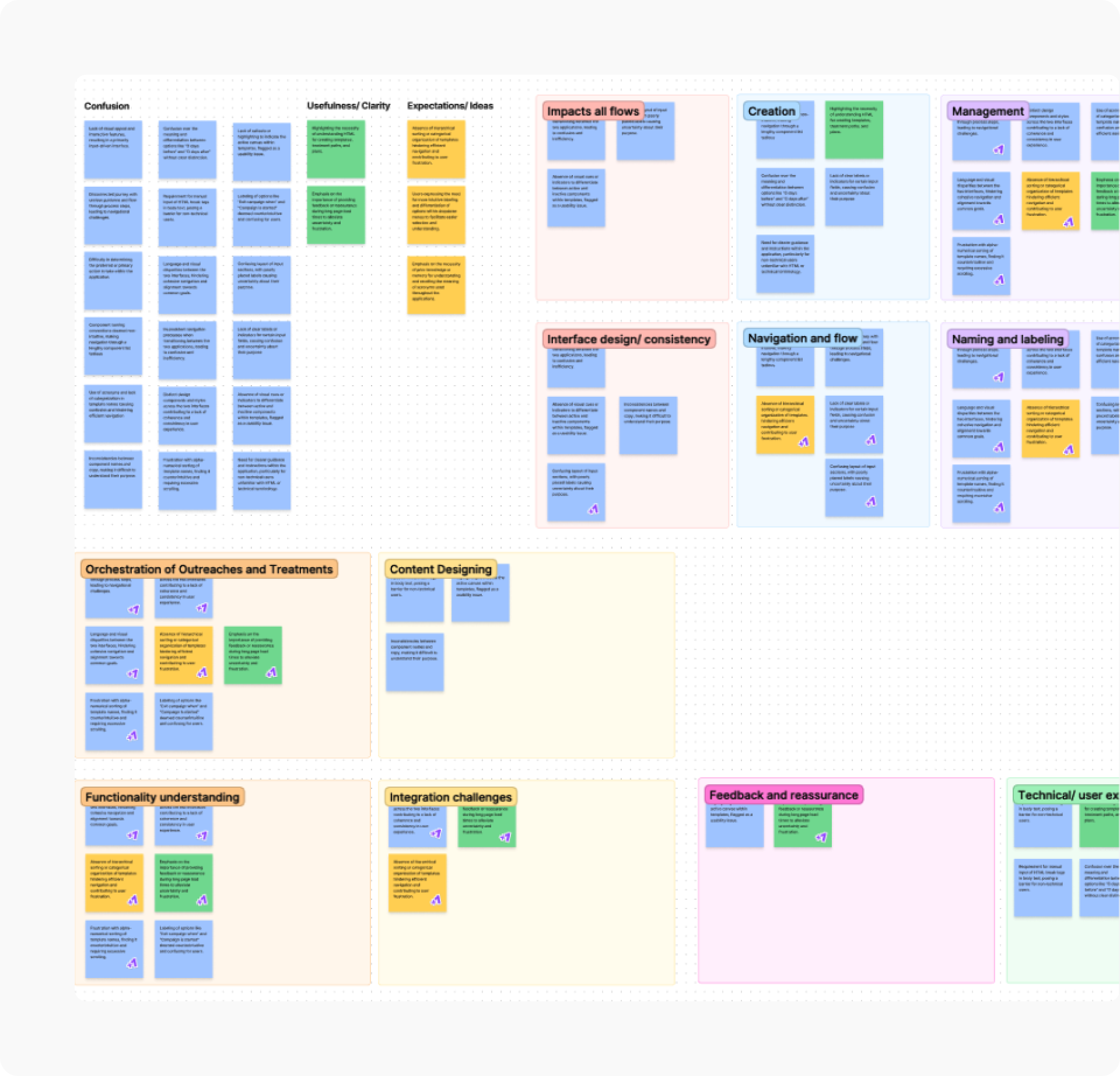
Audited UI components, task flows, and navigation across both legacy apps, then observed specialists across three roles in their actual workflows. Synthesized findings through affinity mapping across 5 functional areas.
WHAT I FOUND
Users had no single view of what was happening, where, and why. Strategies were invisible end to end. Errors surfaced late, often during engineering handoff. The tools required deep technical knowledge just to operate at a basic level.
WHAT IT MEANT
The opportunity was clear: build a single unified system that gives users clarity, confidence, and control from start to finish. Not a better version of the old tools. Something entirely new.
Designing for one person made it better for everyone.
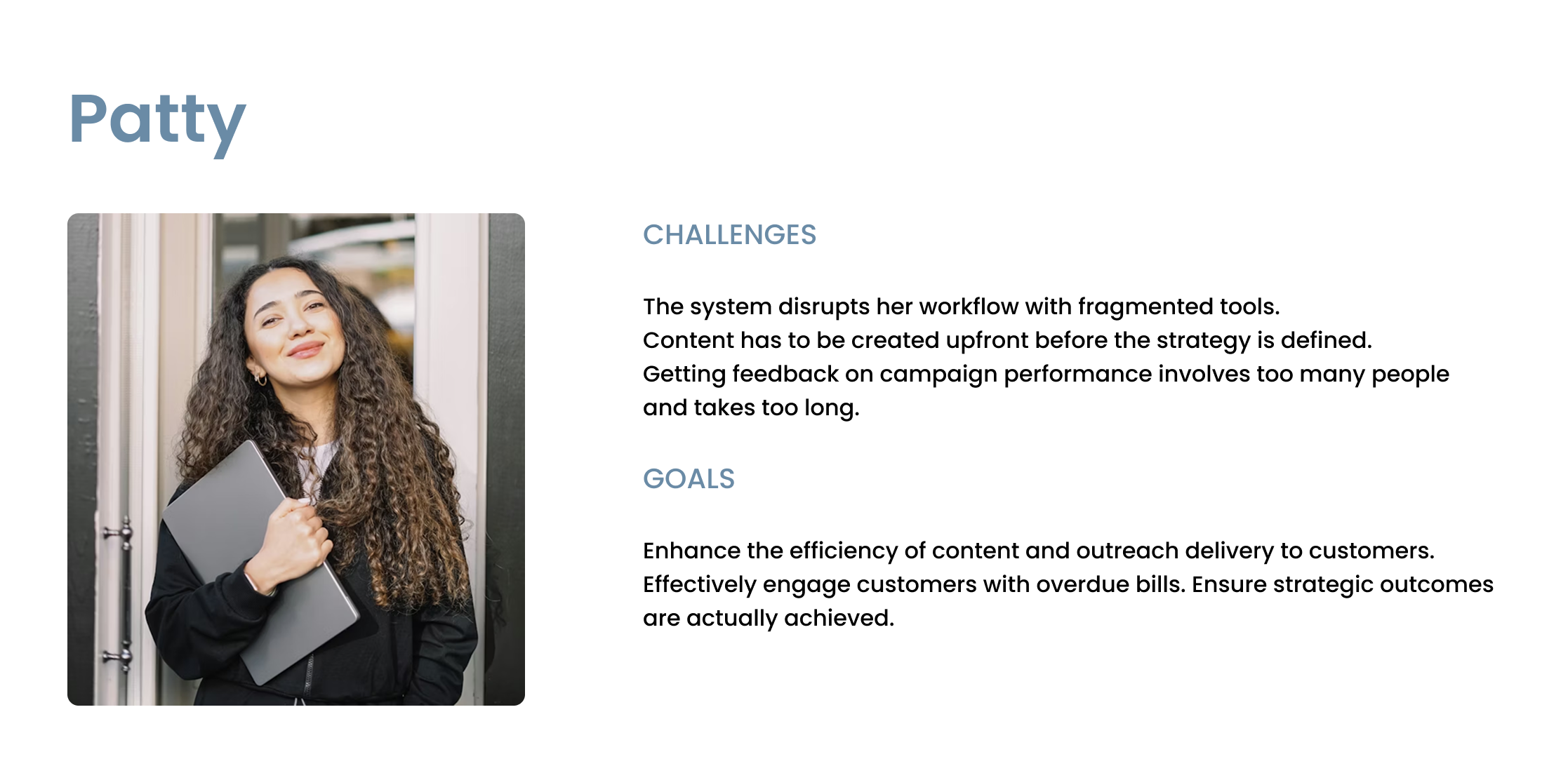
From my research, one persona captured the core user perfectly. Patty manages treatment strategies, checks performance, and brings marketing experience to a highly technical platform that was never built for her.
5
Functional areas mapped
DESIGN PRINCIPLES
Four principles that shaped every decision.
Before a single screen was designed, I established a shared design language the entire triad could align on. These weren't decorative - they were the criteria I used to evaluate every design decision throughout the project.
🧪
Empower users through exploration
Users needed a safe space to try things without fear. Experimentation had to feel low-risk and reversible.
⚡️
Automate the routine
Repetitive configuration was costing users time and confidence. Automation meant users could focus on strategy, not maintenance.
🧭
Reduce friction and guide decisions
Anticipate where users get stuck. Surface the right information at the right moment. Make outcomes predictable.
🎯
Put important things within arms reach
If a user had to leave the canvas to complete a task, the design had failed. Essential features had to be accessible without jumping between tools.
THE DESIGN
From fragmented tools to a single source of truth.
The legacy workflow required users to move between multiple apps for treatment paths, experiments, and content management. There was no single view, no shared logic, and no way to see the full picture. The redesign consolidated everything into one unified platform - with the canvas at its centre.
Making the invisible visible.
The most critical shift was moving from list-based, text-heavy tools to a visual node-based canvas. For the first time, users could see their entire customer journey laid out in front of them. Risk segments, outreach sequences, timing logic and split paths were all visible at once. Strategies that previously existed only in someone’s head or on a whiteboard now had a home.
BEFORE
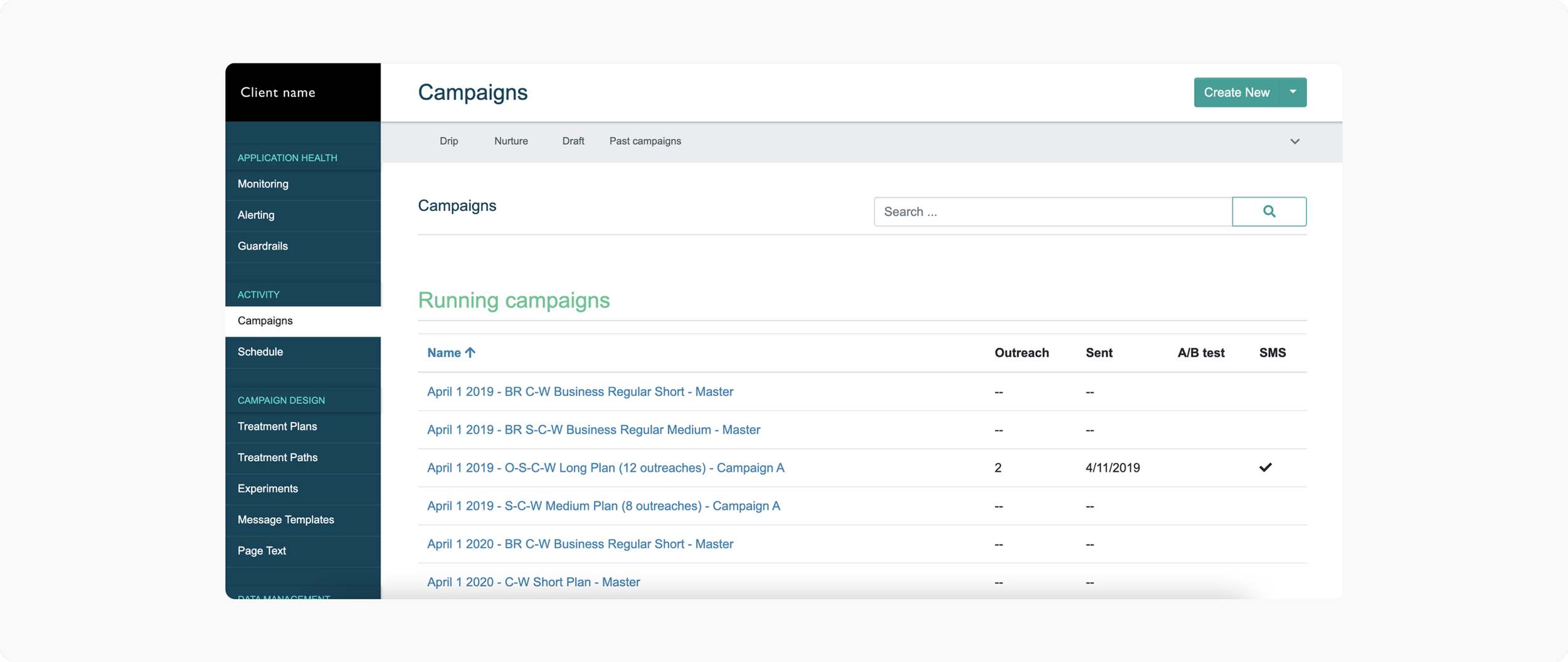
Campaigns list view, no visual strategy
AFTER
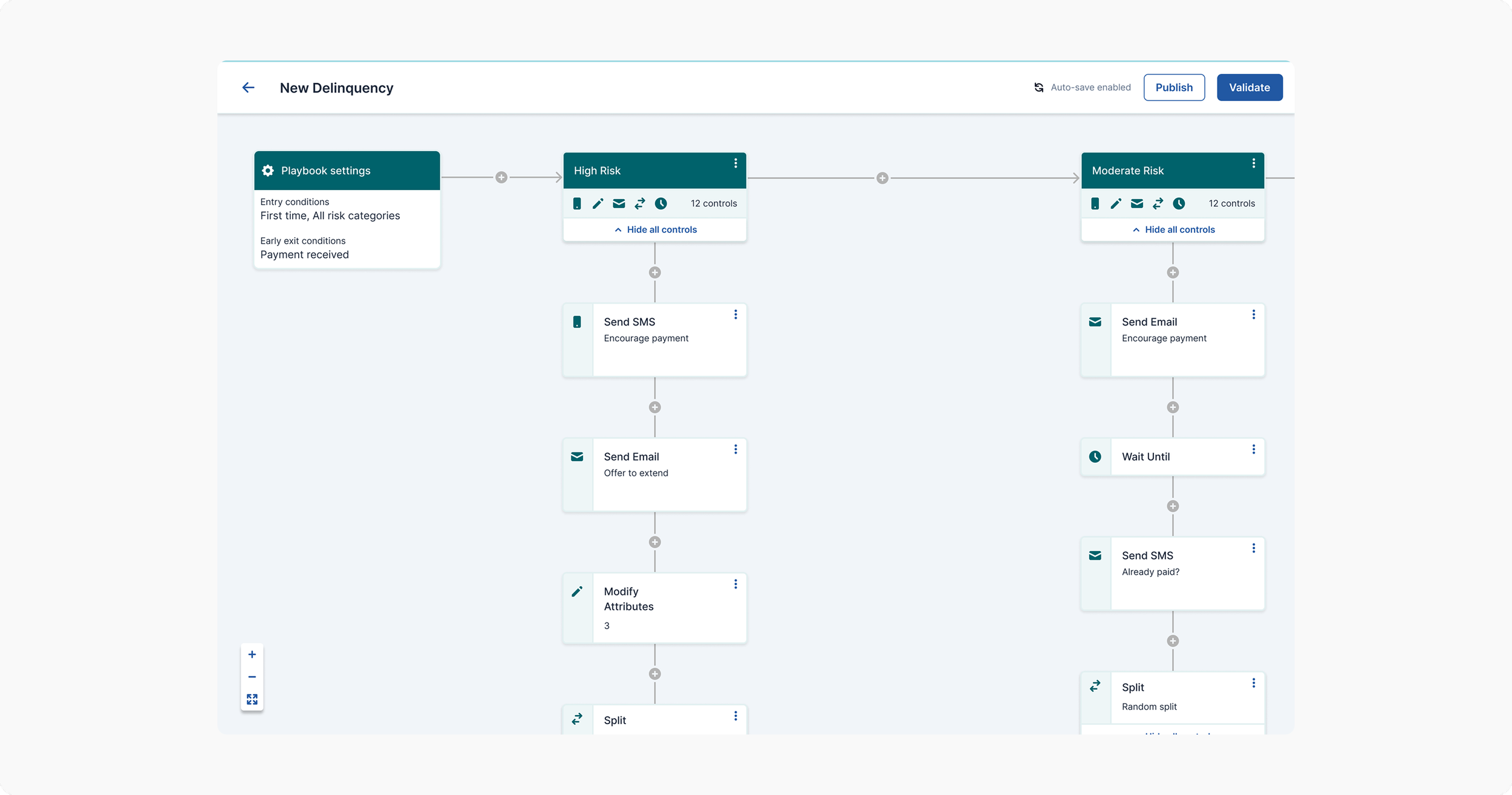
Playbook designer - full strategy visible all at once
⭐️
Users used to sketch strategies on paper because the old tools gave no visual feedback. The canvas eliminated that workaround entirely.
Experimentation, without leaving the canvas.
Previously, running an experiment meant navigating to a separate application, filling out a dense form, and losing all context. We brought it directly into the canvas — reviewable and editable from the path itself.
BEFORE
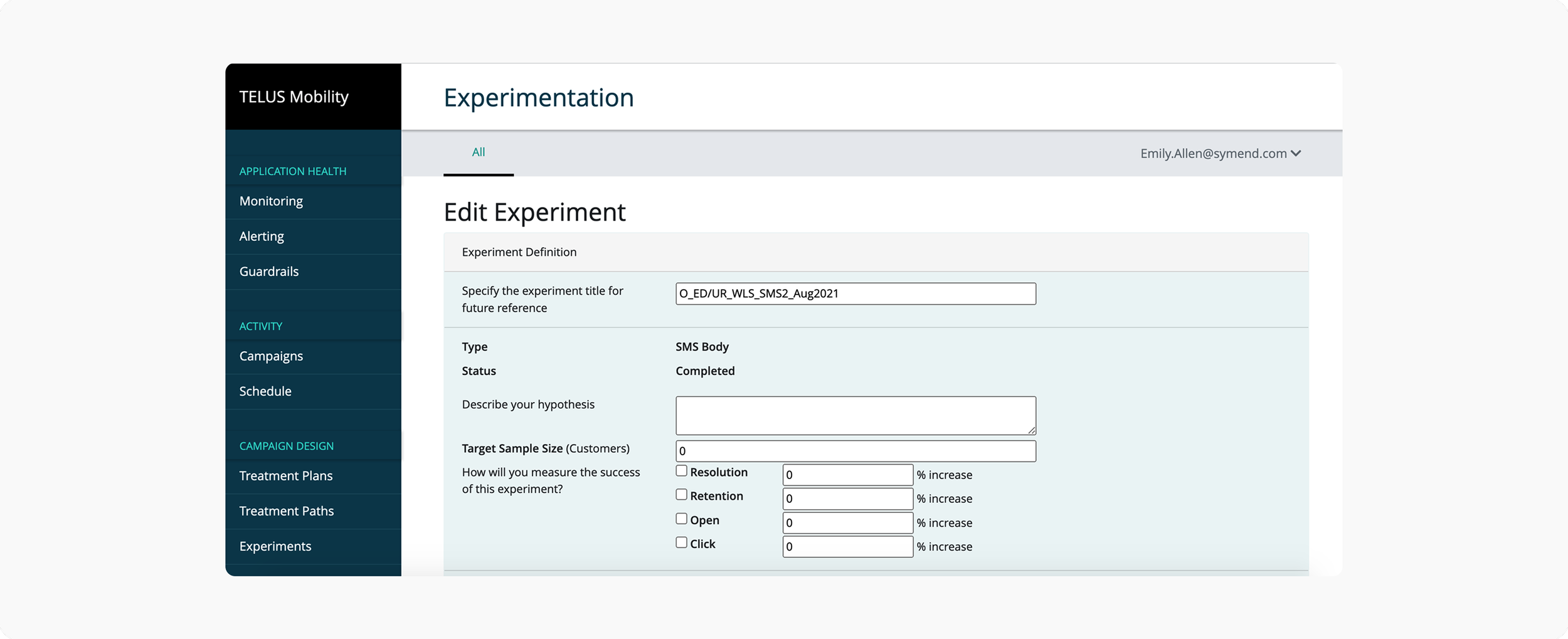
Editting an experiment — isolated form, separate app
AFTER
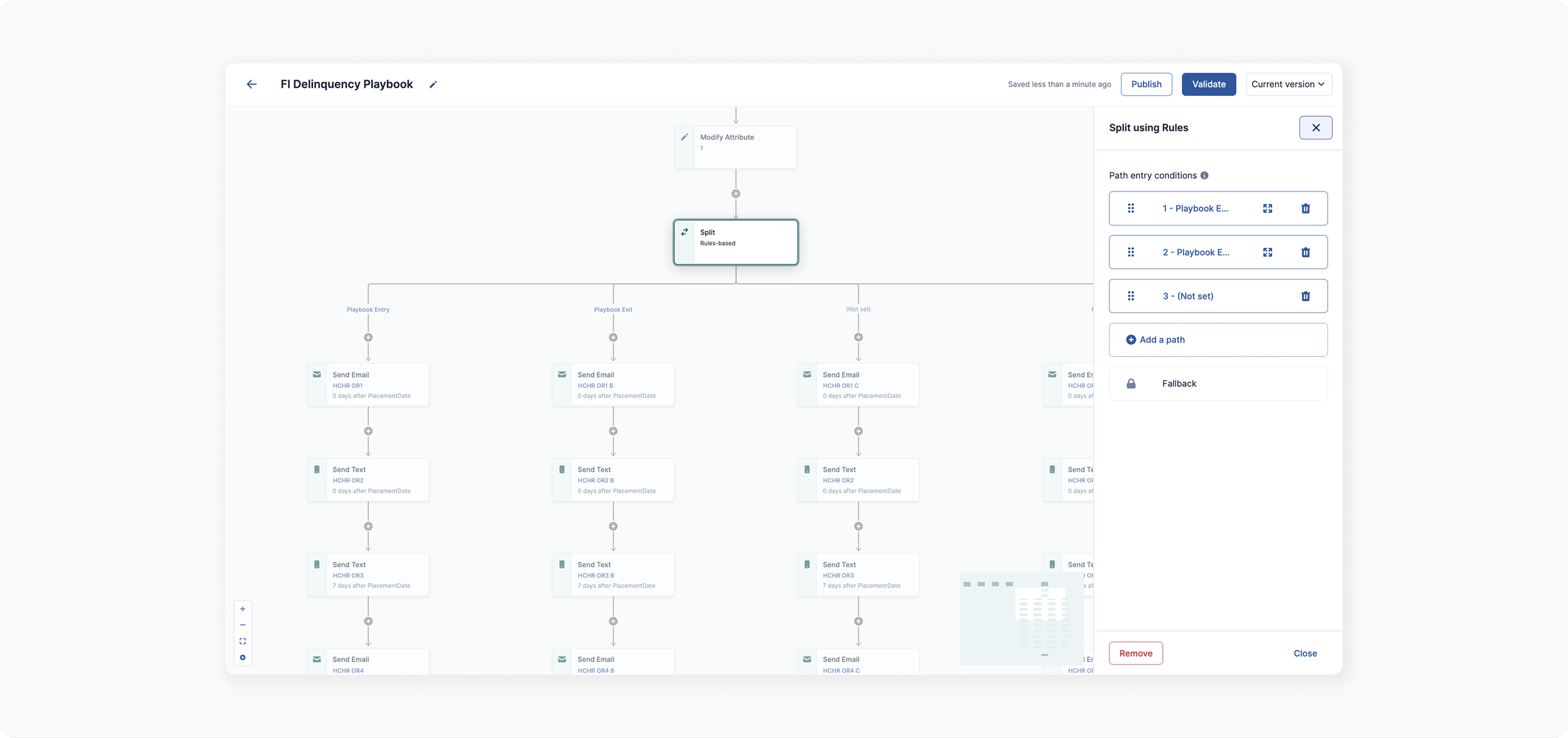
Split rules — directly on the canvas
WHY THIS MATTERED
Context without switching apps
Segment criteria and rules became reviewable directly from the path. Users no longer lost their place in the strategy just to check an experiment's configuration.
The side panel drew from familiar mental models - Figma's inspector, Notion's properties - making it immediately legible to non-technical users.
Preview content without switching tools.
The actual emails and texts customers would receive lived in a completely separate editor. Users had no way to verify what would be sent without leaving their strategy entirely.
BEFORE
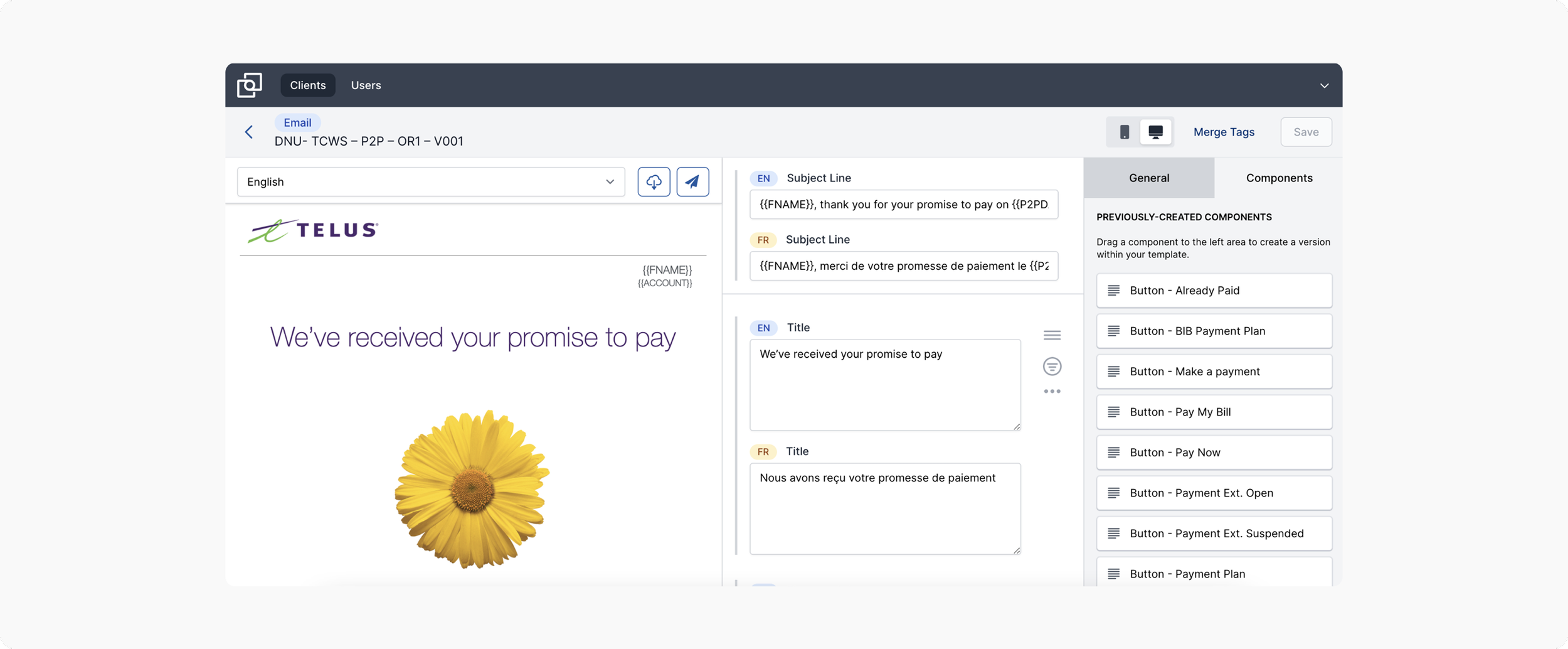
Endeavour app - separate email editor
AFTER
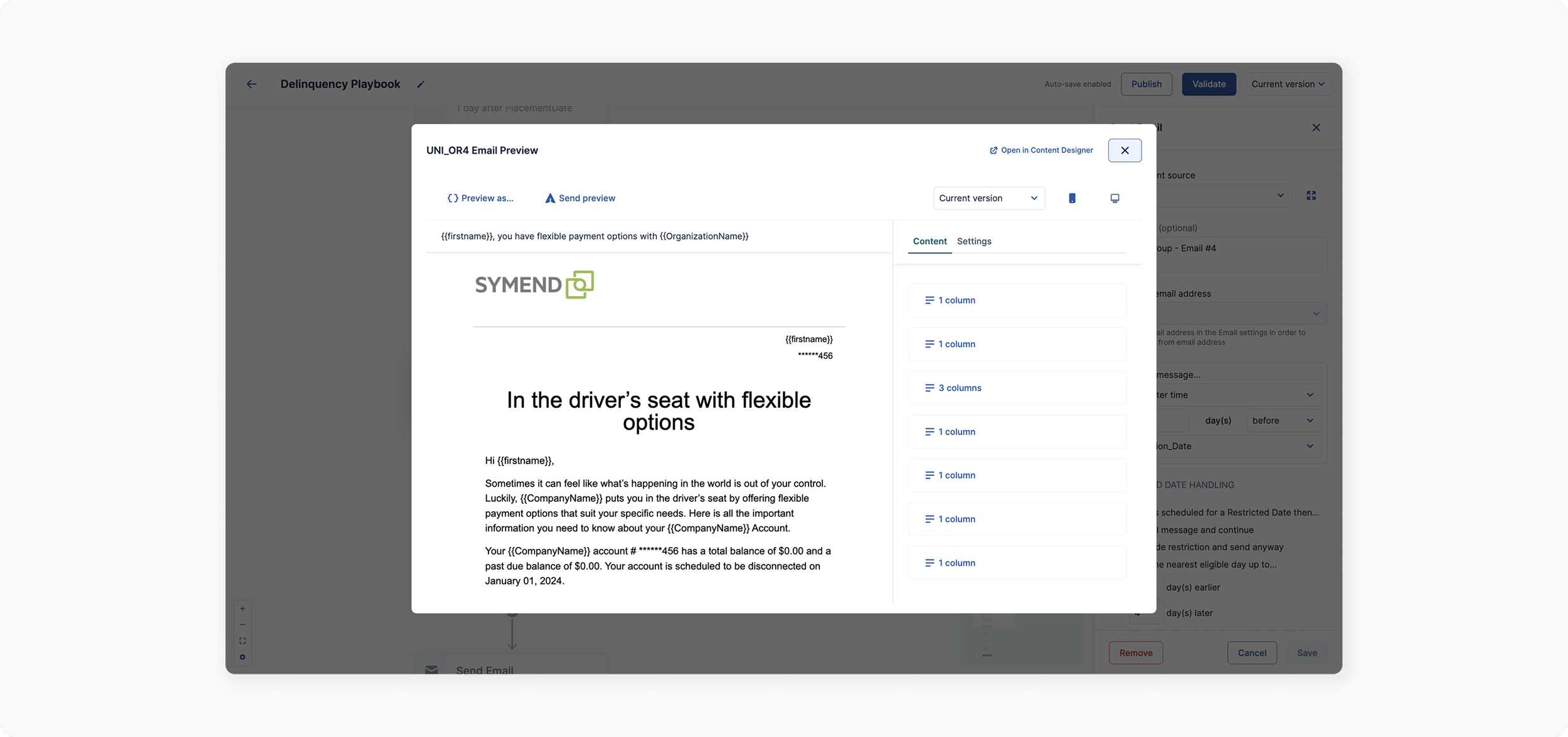
Email preview — directly from the flow of work, right within the canvas
⭐️
For the first time, users could verify exactly what their customers would receive - without leaving their strategy.
Validate before you publish.
With strategies spanning dozens of controls across multiple risk segments, errors were inevitable - and previously invisible until engineering handoff. We introduced a centralised validation panel that surfaced every error by name.
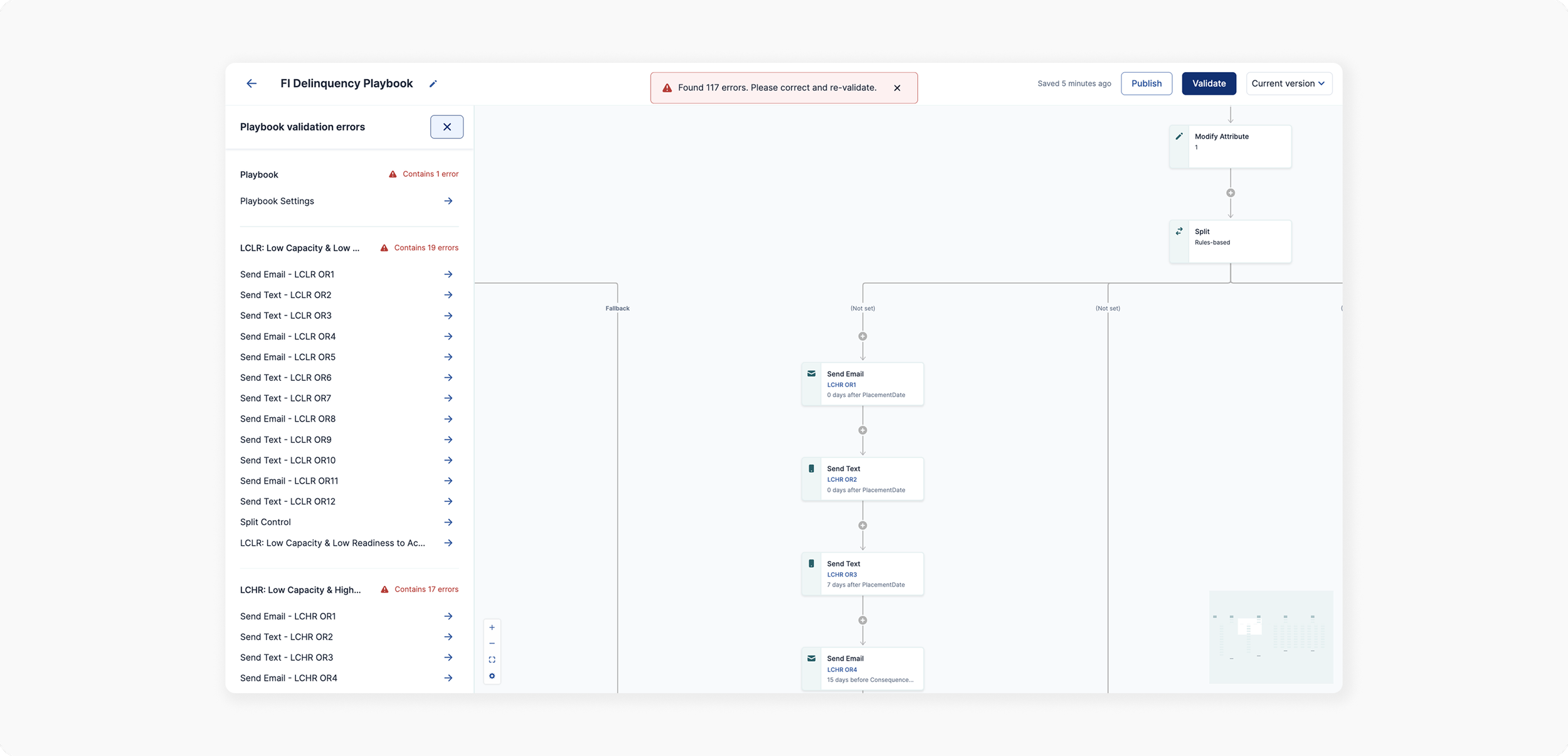
THE DESIGN DECISION
A single source of truth for errors
Rather than surfacing errors inline - which users would miss - we created a centralised panel accessible from the top bar. Every error, named, with direct navigation to fix it.
Non-technical users could now build and publish independently - knowing errors would be caught before they reached customers at scale.
IMPACT
From a rigid, code-based system to a tool strategists could own.
100M+
customers supported through debt using strategies built in the Playbook Designer
🙋🏼♀️
User autonomy
Strategists could design, validate, and publish independently — without relying on engineering or data science teams.
What used to require 3+ separate apps, engineering support, and deep technical knowledge became a single, predictable interface that non-technical strategists could own end-to-end.
🌐
Universal functionality
One platform serving every client - eliminating custom configurations while keeping the experience adaptable.
🔗
Everything in one place
Content, experiments, segmentation, timing - all from the canvas. No more context switching.